Showing posts with label Self-Publishing. Show all posts

Tuesday, November 6, 2018

Personal Choices


I’ve read a lot of traditionally published books that I thoroughly enjoyed. I’ve also read traditionally published books that, to me, were clunkers. The same thing applies to self-published books. Some good, some clunkers.

For years, self-publishing has been given a bad rap. It’s time for that to stop. I wish I had a way to change minds, but other than talking the talk, I don’t know how to do that. So for today I’ll do a little cheerleading.

 
I will say that I know a number of authors (including me) who had traditional publishers and decided to take a different path. You can relate it to someone changing jobs because they didn’t see eye-to-eye with their boss, or maybe they simply want to be their own boss. That’s the way of life sometimes.

I’ve started doing something different. When I read the book of an author who’s new to me, I find myself checking to see if they’re self-published or traditionally published. We all have different tastes, and you might rave about a book that I don’t care for, so the writing isn’t always the issue, nor is who published the work. In the end, I have to say I’ve read some books I truly enjoyed that were written by self-published authors. There were others that were well-written, but not to my taste.

You might complain that you’ve found typos in self-published books. Fair enough, but I’ve found typos in the books of well-known authors. It happens.

There’s another issue which many people wouldn’t think of, and that’s the fact that traditionally published authors have a publisher to promote their books. Self-published authors don’t have that luxury. Many of these authors can’t afford to hire a publicist, either. Thank heaven for social media.

Word-of-mouth is an important factor. If you read a self-published book that you truly enjoyed, tell your family and friends about it. Do a review for it. And try another book by that same author.

I once submitted a book to a traditional publisher and was told that since I’d self-published when I started writing, they’d never handle my work. I was told they’d never, ever publish a book written by a self-published author. When I started writing, I knew nothing about the process and a relative told me about this “new process” called self-publishing. What a cool idea! Wrong. It seemed to be the kiss of death. Years have gone by. It’s time to step up to the plate and try some new, self-published authors. If you don’t like the book you’ve chosen, try another author. It’s simple. With ebooks being so popular, you don’t have to spend a fortune on a book, either.

By the way, the book that the snooty publisher wouldn’t look at? I ended up finding a different publisher who was happy to work with me. I did okay. When I started self-publishing, I reissued the book and did better than okay. I’ll never be rich, but that’s okay. I’m not writing for the money. I’m writing in the hope of entertaining readers. So far, so good.

Patricia Gligor, Evelyn Cullet and F.M. (Marilyn) Meredith have self-published some books, and they’re all authors whose writing I enjoy. As time goes by, I’ll add names here and there, and if you find a self-published author you enjoy, by all means, spread the word.

It’s time to enjoy good books for what they are, no matter who they’re published by. Let’s get rid of the stigma attached to self-published books.

Okay, that’s my cheerleading effort for this week.

Until next time, try something new. Read a self-published book and see what you think. If one author doesn’t float your boat, try another.

CLICK HERE to visit Marja McGraw’s website
CLICK HERE for a quick trip to Amazon.com

Speaking of trying a self-published author, you might try One Adventure Too Many – A Sandi Webster Mystery. It might give you a chuckle while you try to figure out the mystery.

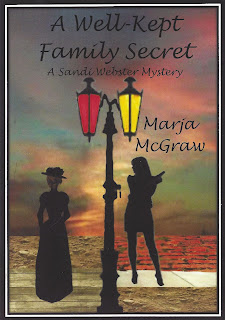
A Well-Kept Family Secret and Bubba's Ghost are both now available in audio format.


Monday, May 9, 2016

Lessons Learned - Part V


This is the last part of a series on self-publishing, written by a non-expert, non-techie author. I can only share what my experiences have been, and I hope it’s helpful to a few of you.

This week I’m writing about paperback self-publishing. There are a number of companies out there, and once again you have to do your research to decide which company is right for you. I use CreateSpace, which is linked to Amazon. It’s worked well for me.

If this is your first self-pubbed paperback, start at the beginning (like I needed to tell you that). You’ll see tabs for everything from an Overview, Cover, and Interior to Royalties and buying copies of your own book. By the way, buying your own copies is affordable, at least in my opinion. There’s even a button to click on to “Talk to a Consultant”.

As I’ve mentioned before, be sure you read everything. It’s up to you to prepare the best book possible.

Are you ready to create a book after reading all of the information? The first page will ask for the name of your project. What’s your book title? You can click on the type of project, which in my case would be Paperback.

It will then ask you to choose a Setup Process. I still use the Guided Process. I’m simply not techie enough to use the Expert Process. A lot of this is filling in the blanks.

After you Save and Continue, you’ll be asked more questions about your title and the author’s name, Edition Number, if it’s part of a series, and so forth.

The next step will be obtaining the ISBN number. If you recall, in another post I mentioned that the ISBN number is to a book as a social security number to a person. It’s an identifier specific to each book. Ebooks and paperbacks use a different set of numbers. You can’t use the same number for each version of your book. As with the ebook, you can purchase your own ISBN number or obtain one from CreateSpace.

The next step is the Interior. You have your choice of page colors. I like using cream colored pages because they seem to be easier on the eyes. Here you’d also choose the size of your book. These are trade paperbacks and 6x9 seems to be the standard size these days. On this same page, you can click to add your book file, or manuscript.

They offer professional design services, which you would pay for. I prefer to do my own work, which is no cost to me.

Next is your book cover. You can choose a matte finish or a glossy finish for your book. You can create your own cover (which I do), pay to have it professionally done, or build your cover online. I do a combination. I create my cover and then use the Build Your Cover Online function.  I use the Launch Cover Creator and when covers come up, I choose one called “The Palm”. It’s a cover that allows me to load my own cover instead of being pre-created.

When all is said and done, you can review and proof your manuscript. I suggest you look at it carefully. I’ve found, when my book is printed, that there are indents where there shouldn’t be any, and I can only blame myself. I missed something. If you find an error, you can go back to your original manuscript, fix it, and upload the book again.

The next step is Distribution. Again, fill in the blanks and read everything carefully. It covers Channels, Pricing, additional information, and a few other pertinent settings, and you can find out which book distributors will make your books available.

There’s even a portion that will offer marketing ideas, and if you don’t want to go through the hoops for a Kindle edition, you can do it from there.

That’s it in a nutshell. I’ve probably made it sound simple to some and confusing to others. Follow the steps provided by whatever company you’re using. Be sure to bring your patience along for the ride. If need be, ask for help. Most of the publishing companies are very helpful and easy to work with, trust me.

That’s it folks. It’ll make more sense when you’re actually taking the steps instead of reading about them.

I just finished a new book, the Time Travel Mystery I’ve been mentioning. I’m currently creating the cover, and then I’ll go back for more editing. After that, I’ll be following my own advice. I’d tell you the title, but at the moment I’m torn between two.

Until next time, I wish you the best with your self-publishing efforts. It’s not for everyone, but it sure works well for some of us.

CLICK HERE to visit Marja McGraw’s website
CLICK HERE for a quick trip to Amazon.com

Monday, May 2, 2016

Lessons Learned - Part IV


I promised I’d go a bit more in depth about self-publishing this week, and here I am to spill the beans.

As I mentioned last week, I use Amazon.com as my self-publisher. That’s not a recommendation, although I’m very happy with them, but it’s a statement of fact. I use Kindle Direct Publishing (KDP) for my ebooks, CreateSpace for my paperbacks, and I tried Audiobook Creation Exchange (ACX) for an audiobook. Interesting experience. While I have thirteen ebooks and paperbacks, I only have one audiobook. The three companies are related to each other.

I’m sure each self-publisher has different guidelines and rules and I can only tell you about my experiences.

I’ll begin by using my experiences with ebooks.

After signing in, I click on Create New Title. I arrive at a list of things about the book to fill in. This is your first taste of Internet paperwork.

I read everything there is to read about the process. You never know, something might have changed since my last book.

Remember that every book needs an ISBN number. An ISBN number is to books like a social security number is to people. It’s an identifier. Every book must have one. However, an ebook and a paperback or hardcover book must have a different ISBN number. You can buy your own ISBN numbers at http://www.isbn.org/, or if you’re using Amazon, they can provide you with a free ISBN number. 

http://www.amazon.com/s/ref=nb_sb_ss_i_1_8?url=search-alias%3Dstripbooks&field-keywords=marja+mcgraw&sprefix=marja+mc%2Caps%2C242
 You can do all kinds of things with covers. 
This is one of the covers I created.

As you Create New Title, you’ll upload both your manuscript and the book cover. Two templates are available to upload your book. You have to decide which one works for you. I tried them both with some difficulty (because of not being techie) and finally figured out which one worked best for me. We’ll come back to your upload in a moment.

Last week I wrote about creating your book cover. If you’ve created your own cover, be sure to read the Guidelines. If not adhered to, your cover won’t come out right. There’s also a program to create a book cover on the site using their graphics.

Your manuscript and cover are things you take care of up front. You’ll Save and Continue from there, and follow each step. If you need an explanation for any part of this, you’ll see a place to click.

When your manuscript is downloaded, you’re provided with the opportunity to check the book and how it will appear. If need be, you can correct errors on your original manuscript and upload it again. (I’ve been known to upload a manuscript more than once when I discover errors I hadn’t recognized until I saw it in book format.)

Tip: There’s a little box on the bar of your Word program that looks like a paragraph mark. Click on that and you’ll see the things like an indent mark that might be incorrect, too many spaces between words, and all kinds of little errors. It will show you all of the formatting symbols you’ve used.

To a point, I’m glossing over this because I’m not in the process of uploading a book at the moment. In a couple of months (or less, I hope) I’ll be going through the same process as you are. Just keep following the directions and you’ll do fine.

The second part of this process is about your Rights and Pricing. Again, read everything. Use your common sense. I have a “thing” about pricing. I like my ebooks to be affordable. Therefore, I generally price my ebooks at $2.99. I’ll never get rich, but that’s not my goal. My goal is to entertain the reader.

You can choose your own price. This section will also explain how royalties are determined and paid, dependent on the price of your book.

I’m making this sound too easy. Depending on your knowledge of computers and programs, it could be. I have to learn everything through trial and error. I write notes for myself so that hopefully when I have a new book, I’ll remember how to do things.

Read about the Kindle Select Benefits. This is a program that only you can decide if you want to use or not.

That’s ebooks in a nutshell.

Next week I’ll share some tidbits with you about paperback books. I hope you’ll come back for more information. Just bear in mind, I’m not an expert, but I have had some experiences I can share.

Until next week, if you want to add something I’ve neglected to write about, please use Comments to make your point. I hope you all have a good and productive week.

CLICK HERE to visit Marja McGraw’s website
CLICK HERE for a quick trip to Amazon.com

Monday, April 25, 2016

Lessons Learned - Part III


Over the past couple of weeks I’ve been writing about self-publishing. I’ve emphasized the idea of trying to find a traditional publisher first, and making sure your manuscript is as clean as possible. Yes, we all end up with a few typos, unwanted indents or missing words. It happens. If it’s a great book, most readers are willing to skip over our little mishaps, but still, don’t just assume the reader will do this.

You may have decided you’d prefer to self-publish for any number of reasons. If that’s the case, you have a whole new laundry list of things to learn.

You might choose a self-publisher that you pay and they do all the work. On the other hand, you might like to have control of your career – you might want to be your own boss. You still have to follow the guidelines set up by your self-publisher. 

Last week I suggested you research the various self-publishers. I hope you do that, and do it soon. There are some authors who have created their own publishing house for their books. It certainly looks nice to show a publisher’s name at the beginning of your book. So far, I’ve just used my own name.

Have you started promoting yet? There’s so much involved in gaining name recognition. Start early and keep the momentum going.

In the beginning I used a paid self-publisher who did everything except promotion and marketing. Well, in all fairness, they did some of those things, but the majority of the work was left up to me. I switched to two traditional publishers (one for each series), decided we had different ideas, and moved on to the newer form of self-publishing.

Here’s the thing. You’ve got to have all of your ducks in a row going in. Your book is done? It’s clean and error free? You’ve used the format the self-publisher wants you to use? You’ve created a Title Page, an Acknowledgement Page, a Dedication Page, a copyright page? If you have multiple books, you might want to include an “Also Available…” Page. Think about an “About the Author” page at the end of the book.

Now you’re ready to publish, right?

http://www.amazon.com/s/ref=nb_sb_ss_i_1_8?url=search-alias%3Dstripbooks&field-keywords=marja+mcgraw&sprefix=marja+mc%2Caps%2C242
Not quite so fast. What about the book cover you need for your book? You can pay to have one created, have a relative do it, or you can create your own cover. There are a number of programs you can use. Personally, I use Photoshop, but there are other programs available to you, too. Some are actually free. I welcome commenters to mention programs they’ve had success with and to include links.
 
http://www.amazon.com/s/ref=nb_sb_ss_i_1_8?url=search-alias%3Dstripbooks&field-keywords=marja+mcgraw&sprefix=marja+mc%2Caps%2C242

There are sites you can use for your graphics or you can use photos. If you’re artistic, you might create your cover using your own graphics. Be sure to use a font and color that can be read easily. I once read that when you create a cover you should picture it as a small, thumbnail sized cover. If it’s too busy, the reader perusing sites will often look for something less involved. Obviously, it can’t hurt if your cover has something to do with your story. I wrote about a ghost town (Old Murders Never Die) and I used a ghost town on the cover.

I discovered when using the Kindle ebook program that there is a book cover creator program you can use if necessary. There are several covers you can choose from, and there's one where you can load your own cover.

Let’s say you’ve done all of the things I mentioned above. There are more decisions to make. Do you want an ebook version, a paperback version, and an audiobook version? Start researching to decide what companies will best provide your choices.

With everything ready, it’s time to start the process.

I use Amazon.com as my self-publisher. That’s not a recommendation, although I’m very happy with them, but it’s a statement of fact. I use Kindle Direct Publishing (KDP) for my ebooks, CreateSpace for my paperbacks, and I tried Audiobook Creation Exchange (ACX) for an audiobook. Interesting experience. While I have thirteen ebooks and paperbacks, I only have one audiobook. The three companies are related to each other.

Come back next week and I’ll go into more detail and it will be more in depth, because if everything I’ve talked about is done, then it’s time to upload your book and cover. Keep your sigh to yourself when I tell you paperwork and more decisions lie ahead.

Until next week, remember that every step of this process will make you just a bit more of a techie. For me, it’s been fun.

CLICK HERE to visit Marja McGraw’s website.
CLICK HERE for a quick trip to Amazon.com